文章目录
目前大模型应用开发最常见的框架就是 LangChain,然而 LangChain 是基于 Python 语言,虽然有 LangChain4j,但是对于大量使用 Spring 生态的应用来说,适配性就稍微差了些。
而 Spring 公司推出的 SpringAI 框架,充分利用了 Spring 框架中 AOP、IOC 的能力,可以与现有的 Java 项目无缝融合,非常方便。
当然,SpringAI 要求的 JDK 版本至少是 JDK17,SpringBoot 也必须是 3.x 的版本才可以,所以如果想要使用 SpringAI,必须先升级 JDK 和 SpringAI 版本才行。
如果是比较老的项目,也可以使用 LangChain4j,它要求的最低 JDK 版本为 JDK8。
首先要明确一点,大模型应用开发并不是在浏览器中跟 AI 聊天。而是通过访问模型对外暴露的 API 接口,实现与大模型的交互。
因此,企业首先需要有一个可访问的大模型,通常有三种选择:
1)使用开放的大模型 API;
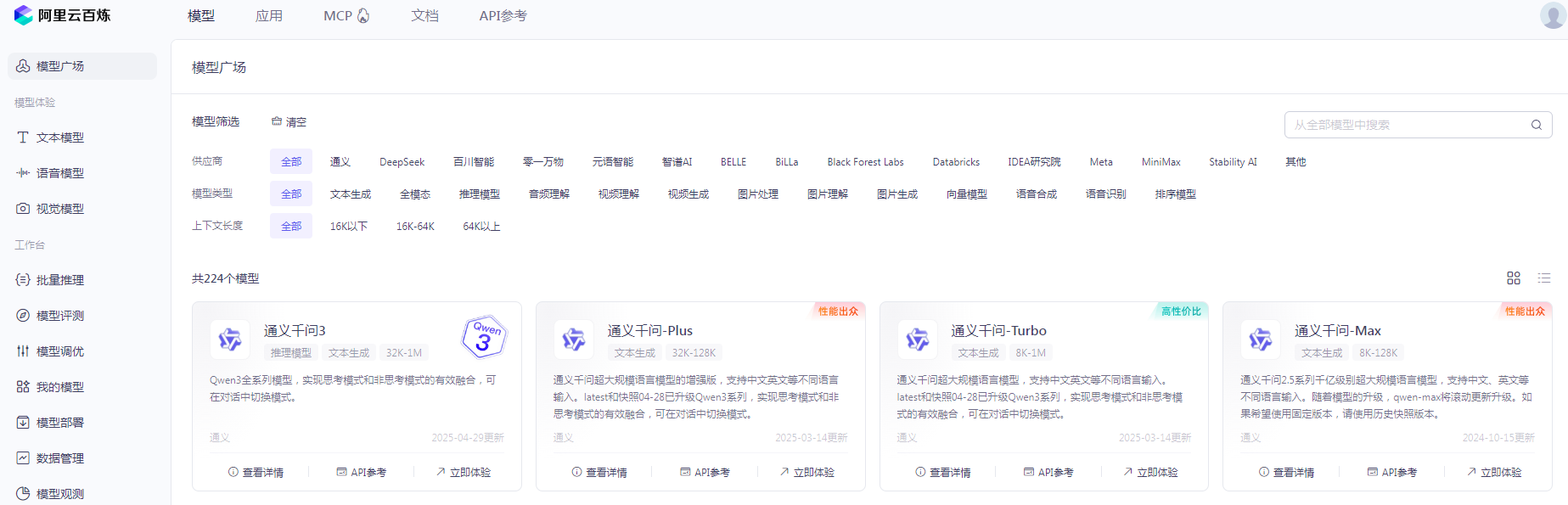
本次演示的都是使用开放的大模型 API,只需要选择自己合适的大模型,创建出自己的 API Key 就能免费使用很长时间了:
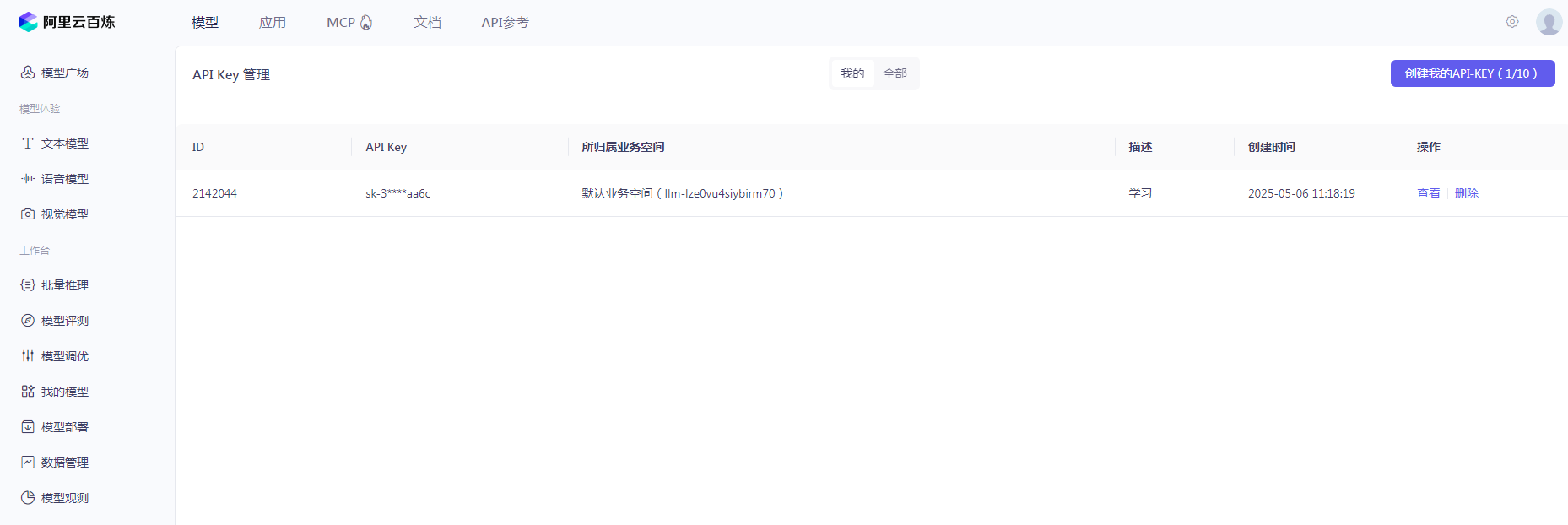
2)在云平台部署稀有大模型;
3)在本地服务器部署稀有大模型;
首先,在 SpringBoot 项目中引入 SpringAI 起步依赖:
1234 <dependency><groupId>org.springframework.ai</groupId><artifactId>spring-ai-openai-spring-boot-starter</artifactId></dependency>
接着,在项目 pom.xml 中添加 SpringAI 的版本信息:
1 <spring-ai.version>1.0.0-M6</spring-ai.version>
然后,添加 SpringAI 的依赖管理项:
1234567891011 <dependencyManagement><dependencies><dependency><groupId>org.springframework.ai</groupId><artifactId>spring-ai-bom</artifactId><version>${spring-ai.version}</version><type>pom</type><scope>import</scope></dependency></dependencies></dependencyManagement>
最终,完整 pom.xml 依赖如下:
1234567891011121314151617181920212223242526272829303132333435363738394041424344454647484950515253545556575859606162636465666768697071727374757677787980818283848586878889 <?xml version="1.0" encoding="UTF-8"?><project xmlns="http://maven.apache.org/POM/4.0.0" xmlns:xsi="http://www.w3.org/2001/XMLSchema-instance"xsi:schemaLocation="http://maven.apache.org/POM/4.0.0 https://maven.apache.org/xsd/maven-4.0.0.xsd"><modelVersion>4.0.0</modelVersion><parent><groupId>org.springframework.boot</groupId><artifactId>spring-boot-starter-parent</artifactId><version>3.4.5</version><relativePath/> <!-- lookup parent from repository --></parent><groupId>com.xbs</groupId><artifactId>springAI-openAi</artifactId><version>0.0.1-SNAPSHOT</version><name>springAI-openAi</name><description>springAI-openAi</description><url/><licenses><license/></licenses><developers><developer/></developers><scm><connection/><developerConnection/><tag/><url/></scm><properties><java.version>17</java.version><spring-ai.version>1.0.0-M6</spring-ai.version></properties><dependencyManagement><dependencies><dependency><groupId>org.springframework.ai</groupId><artifactId>spring-ai-bom</artifactId><version>${spring-ai.version}</version><type>pom</type><scope>import</scope></dependency></dependencies></dependencyManagement><dependencies><dependency><groupId>org.springframework.boot</groupId><artifactId>spring-boot-starter-web</artifactId></dependency><dependency><groupId>org.projectlombok</groupId><artifactId>lombok</artifactId><version>1.18.22</version></dependency><dependency><groupId>org.springframework.ai</groupId><artifactId>spring-ai-openai-spring-boot-starter</artifactId></dependency><dependency><groupId>com.mysql</groupId><artifactId>mysql-connector-j</artifactId><scope>runtime</scope></dependency><dependency><groupId>org.springframework.boot</groupId><artifactId>spring-boot-starter-test</artifactId><scope>test</scope></dependency><dependency><groupId>com.baomidou</groupId><artifactId>mybatis-plus-spring-boot3-starter</artifactId><version>3.5.10.1</version></dependency><dependency><groupId>org.springframework.ai</groupId><artifactId>spring-ai-pdf-document-reader</artifactId></dependency></dependencies><build><plugins><plugin><groupId>org.springframework.boot</groupId><artifactId>spring-boot-maven-plugin</artifactId></plugin></plugins></build></project>
除了以上 SpringAI 的依赖之外,我还额外引入了在之后的项目开发中所用到的依赖。
我们现在使用的是开放大模型的 API,需要添加以下内容:
123456789101112131415161718192021222324252627282930 spring:application:name: ai-demoai:openai:base-url: https://dashscope.aliyuncs.com/compatible-modeapi-key: 在这里写你自己申请的 API-Keychat:options:model: qwen-max-latest #选择你自己喜欢的模型 https://help.aliyun.com/zh/model-studio/getting-started/modelstemperature: 0.8 #模型温度,影响模型生成结果的随机性,越小越稳定embedding:options:model: text-embedding-v3dimensions: 1024datasource:driver-class-name: com.mysql.cj.jdbc.Driverurl: jdbc:mysql://localhost:3144/ai?serverTimezone=Asia/Shanghai&useSSL=false&useUnicode=true&characterEncoding=utf-8&zeroDateTimeBehavior=convertToNull&transformedBitIsBoolean=true&tinyInt1isBit=false&allowPublicKeyRetrieval=true&allowMultiQueries=true&useServerPrepStmts=falseusername: rootpassword: 你猜猜看logging:level:org.springframework.ai: debug # AI对话的日志级别com.xbs.springaiopenai: debug # 本项目的日志级别server:port: 8087mybatis:configuration:log-impl: org.apache.ibatis.logging.stdout.StdOutImpl
12345678910111213141516171819 package com.itheima.ai.config;import org.springframework.ai.chat.client.ChatClient;import org.springframework.ai.chat.client.advisor.SimpleLoggerAdvisor;import org.springframework.ai.ollama.OllamaChatModel;import org.springframework.context.annotation.Bean;import org.springframework.context.annotation.Configuration;@Configurationpublic class CommonConfiguration {// 注意参数中的model就是使用的模型,这里用了Ollama,也可以选择OpenAIChatModel@Beanpublic ChatClient chatClient(OllamaChatModel model) {return ChatClient.builder(model) // 创建ChatClient工厂.build(); // 构建ChatClient实例}}
代码解读:
ChatClient.builder: 会得到一个 ChatClient.Builder 工厂对象,利用它可以自由选择模型、添加各种自定义配置。
接下来,我们定义一个 Controller,在其中接收用户发送的提示词,然后把提示词发送给大模型,交给大模型处理,拿到结果后返回。
1234567891011121314151617181920212223 package com.itheima.ai.controller;import lombok.RequiredArgsConstructor;import org.springframework.ai.chat.client.ChatClient;import org.springframework.web.bind.annotation.RequestMapping;import org.springframework.web.bind.annotation.RequestParam;import org.springframework.web.bind.annotation.RestController;@RequiredArgsConstructor@RestController@RequestMapping("/ai")public class ChatController {private final ChatClient chatClient;// 请求方式和路径不要改动,将来要与前端联调@RequestMapping("/chat")public String chat(@RequestParam(defaultValue = "讲个笑话") String prompt) {return chatClient.prompt(prompt) // 传入user提示词.call() // 同步请求,会等待AI全部输出完才返回结果.content(); //返回响应内容}}
注意,基于 call() 方法的调用属于同步调用,需要所有响应结果全部返回后才能返回给前端。
启动项目,在浏览器中访问:http://localhost:8080/ai/chat?prompt=你好
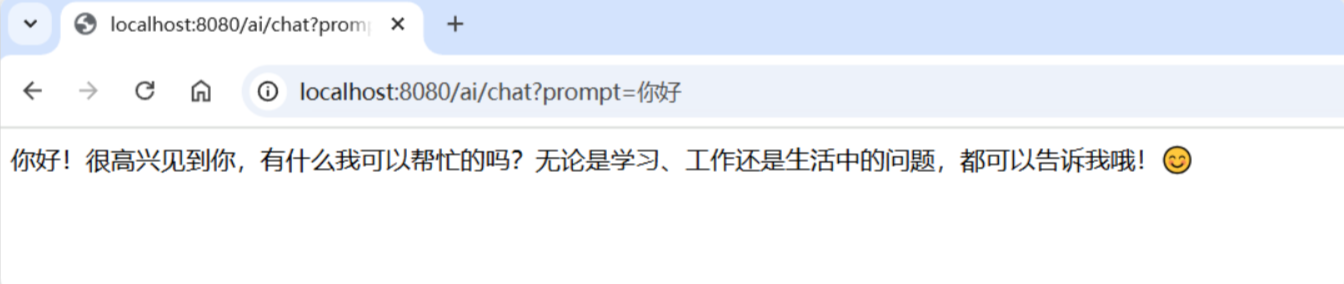
同步调用需要等待很长时间页面才能看到结果,用户体验不好。为了解决这个问题,我们可以改进调用方式为流式调用。
在 SpringAI 中使用了 WebFlux 技术实现流式调用。
12345678 // 注意看返回值,是Flux<String>,也就是流式结果,另外需要设定响应类型和编码,不然前端会乱码@RequestMapping(value = "/chat", produces = "text/html;charset=UTF-8")public Flux<String> chat(@RequestParam(defaultValue = "讲个笑话") String prompt) {return chatClient.prompt(prompt).stream() // 流式调用.content();}
重启测试,再次访问:
可以发现,当我们询问 AI 你是谁的时候,它回答自己是 DeepSeek-R1,这是大模型底层的设定。如果我们希望 AI 按照新的设定工作,就需要给它设置 System 背景信息。
在 SpringAI 中,设置 System 信息非常方便,不需要在每次发送时封装到 Message,而是创建 ChatClient 时指定即可:
12345678 @Beanpublic ChatClient chatClient(OllamaChatModel model) {return ChatClient.builder(model) // 创建ChatClient工厂实例.defaultSystem("你的名字叫小板。请以友好、乐于助人和愉快的方式解答学生的各种问题。").defaultAdvisors(new SimpleLoggerAdvisor()).build(); // 构建ChatClient实例}
默认情况下,应用于 AI 的交互时不记录日志的,我们无法得知 SpringAI 组织的提示词到底长什么样,有没有问题。这样不方便我们调试。
SpringAI 基于 AOP 机制实现与大模型对话过程的增强、拦截、修改等功能。所有的增强通知都需要实现 Advisor 接口。
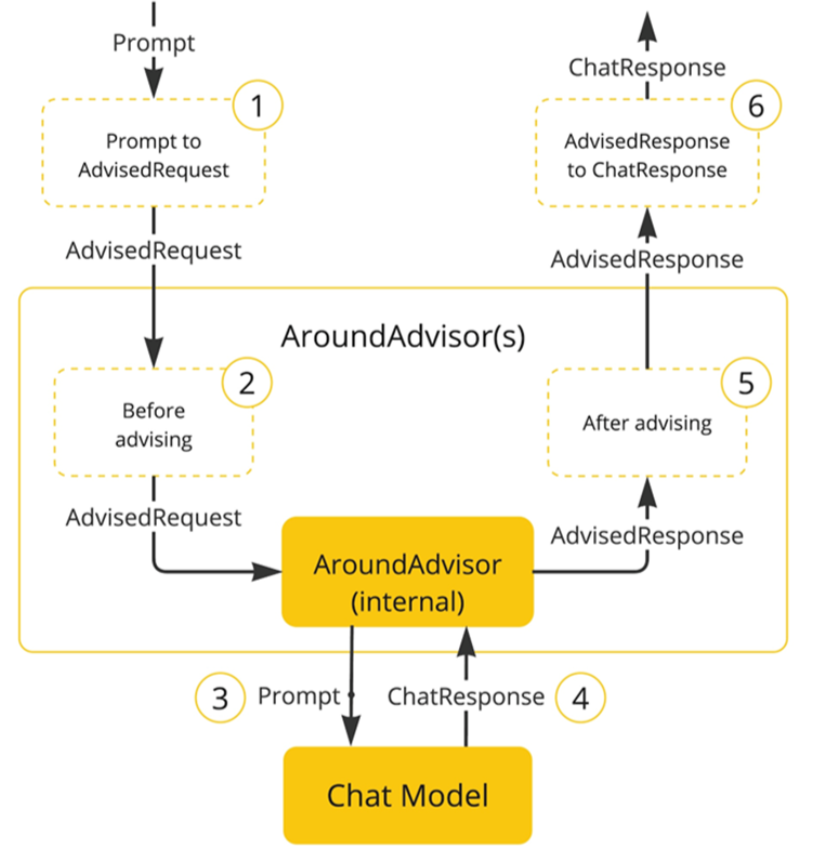
Spring 提供了一些 Advisor 的默认实现,来实现一些基本的增强功能:
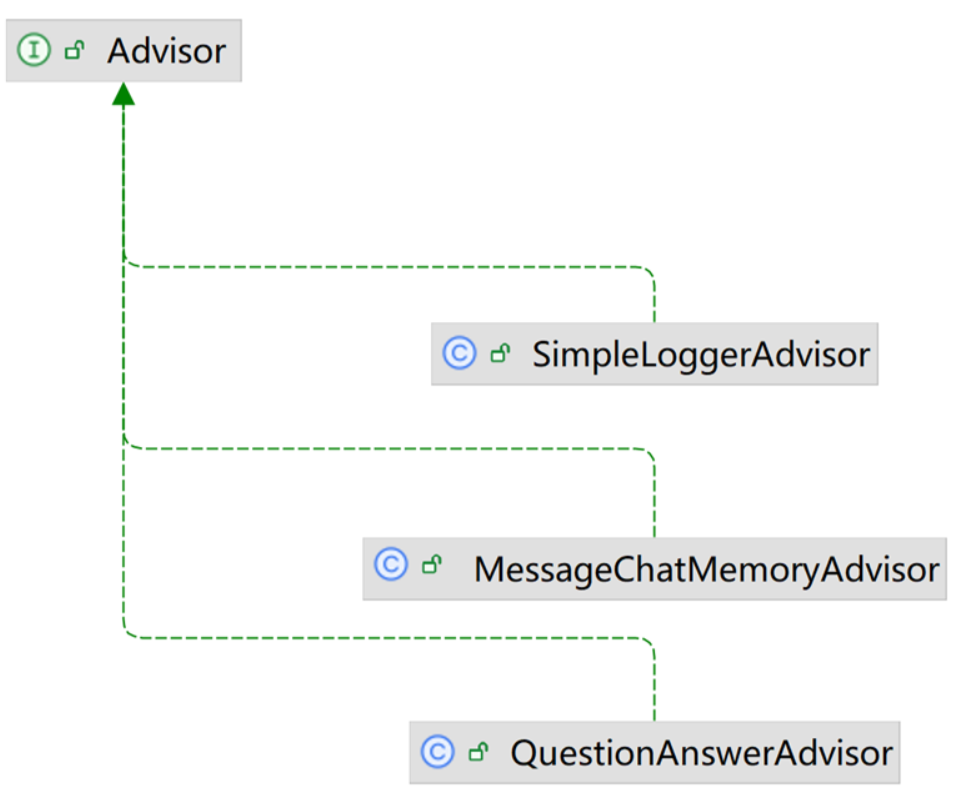
1)SimpleLoggerAdvisor:日志记录的 Advisor。
2)MessageChatMemoryAdvisor:会话记忆的 Advisor。
3)QuestionAnswerAdvisor:实现 RAG 的 Advisor。
只需要在配置 ChatClient 添加日志记录 Advisor:
12345678 @Beanpublic ChatClient chatClient(OllamaChatModel model) {return ChatClient.builder(model) // 创建ChatClient工厂实例.defaultSystem("你是一个热心、可爱的智能助手").defaultAdvisors(new SimpleLoggerAdvisor()) // 添加默认的Advisor,记录日志.build(); // 构建ChatClient实例}
接下来,修改日志级别:
1234 logging:level:org.springframework.ai: debug # AI对话的日志级别com.itheima.ai: debug # 本项目的日志级别
重启项目,再次和 AI 聊天就可以在控制台上看到 AI 的日志输出了。
现在,我们的 AI 聊天机器人是没有记忆功能的,上一次聊天的内容,下一次就忘掉了。我们之前说过,让 AI 有会话记忆的方式就是把每一次历史对话内容拼接到 Prompt 中,一起发送过去。是不是还挺麻烦的。别担心,好消息是,我们并不需要自己来拼接,SpringAI 自带了会话记忆功能,可以帮我们把历史会话保存下来,下一次请求 AI 时会自动拼接,非常方便。
会话记忆功能同样是基于 AOP 实现,Spring 提供了一个 MessageChatMemoryAdvisor 的通知,我们可以像之前添加日志通知一样添加到 ChatClient 即可。
不过,要注意的是,MessageChatMemoryAdvisor 需要指定一个 ChatMemory 实例,也就是会话历史保存的方式。
ChatMemory 接口声明如下:
123456789101112131415161718 public interface ChatMemory {// TODO: consider a non-blocking interface for streaming usagesdefault void add(String conversationId, Message message) {this.add(conversationId, List.of(message));}// 添加会话信息到指定conversationId的会话历史中void add(String conversationId, List<Message> messages);// 根据conversationId查询历史会话List<Message> get(String conversationId, int lastN);// 清除指定conversationId的会话历史void clear(String conversationId);}
可以看到,所有的会话记忆都是与 conversationid 有关联的,也就是会话 Id,将来不同会话 id 的记忆自然是分开管理的。
目前,在 SpringAI 中有两个 ChatMemory 的实现:
1)InMemoryChatMemory:会话历史保存在内存中
2)CassandraChatMemory:会话保存在 Cassandra 数据库中(需要引入额外依赖,并且绑定了向量数据库,不够灵活)
首先注册 chatMemory 对象:
1234 @Beanpublic ChatMemory chatMemory() {return new InMemoryChatMemory();}
然后添加到 ChatClient 中:
12345678 @Beanpublic ChatClient chatClient(OllamaChatModel model, ChatMemory chatMemory) {return ChatClient.builder(model) // 创建ChatClient工厂实例.defaultSystem("你的名字叫小板。请以友好、乐于助人和愉快的方式解答学生的各种问题。").defaultAdvisors(new SimpleLoggerAdvisor()) // 添加默认的Advisor,记录日志.defaultAdvisors(new MessageChatMemoryAdvisor(chatMemory)).build(); // 构建ChatClient实例}
最后在和 AI 聊天的时候,为了区分每一个用户对应着不同的会话记录,因此需要传入用户 ID 进行区分:
123456789 @RequestMapping(value = "/chat", produces = "text/html;charset=UTF-8")public Flux<String> chat(@RequestParam(defaultValue = "讲个笑话") String prompt, String chatId) {return chatClient.prompt(prompt).advisors(a -> a.param(CHAT_MEMORY_CONVERSATION_ID_KEY, chatId)).stream().content();}
from:https://blog.csdn.net/Tingfeng__/article/details/148142825

